




AI that gets work done

Plan tasks, organize files, analyze data, and create content with Raccoon Work.

Overview

From task to finished work

Plan projects, analyze data, and build software with SenseTime’s AI assistant for individuals, teams, and enterprises.

Use plain language to organize files and create editable reports, presentations, and apps. Work on desktop, web, or mobile, with private deployment and integrated appliances available for enterprises.

Understand the Goal

Define the problem and gather the files and context you need.

20M+Users served
8,000+Enterprise customers
3M+Monthly active users
Cross-platformPrivate deployment available

Industry solutions

Raccoon Work for Finance

AI for financial services

Raccoon Work for Finance

Help banks, insurers, and investment firms with credit risk, claims, compliance, business analysis, and investment research.

  • Credit Risk Management
  • Insurance Claims
  • Compliance Management
  • Business Analysis
  • Investment Research Insights

Raccoon Work for Education

AI for school leaders and teachers

Raccoon Work for Education

Put the power to drive innovation in technology education in the hands of those who understand education best!

  • School Administration
  • Lesson Preparation
  • Subject Integration
  • Intelligent Question Generation
  • Interactive Course Materials
  • Learning Analytics

Raccoon Work for Government

AI for public agencies and enterprises

Raccoon Work for Government

Build domain-specific knowledge bases and connect directly to external system databases. Use natural language to complete government data queries, enterprise business analysis, document drafting, and business collaboration, with work products that are editable and verifiable.

  • AI Data Analysis
  • Business and Supply Chain Analysis
  • Materials and Presentations
  • Policy and Industry Research
  • Industry-Specific Knowledge Base
Private deployment and integrated appliances available.Discuss your needs

Raccoon Work for Desktop

Work across local files, browsers, and more than 10 apps, including Feishu, DingTalk, and WeCom.

Local agents and model choice

Switch between office and coding tasks, choose a built-in or custom model, and work with files in folders you authorize.
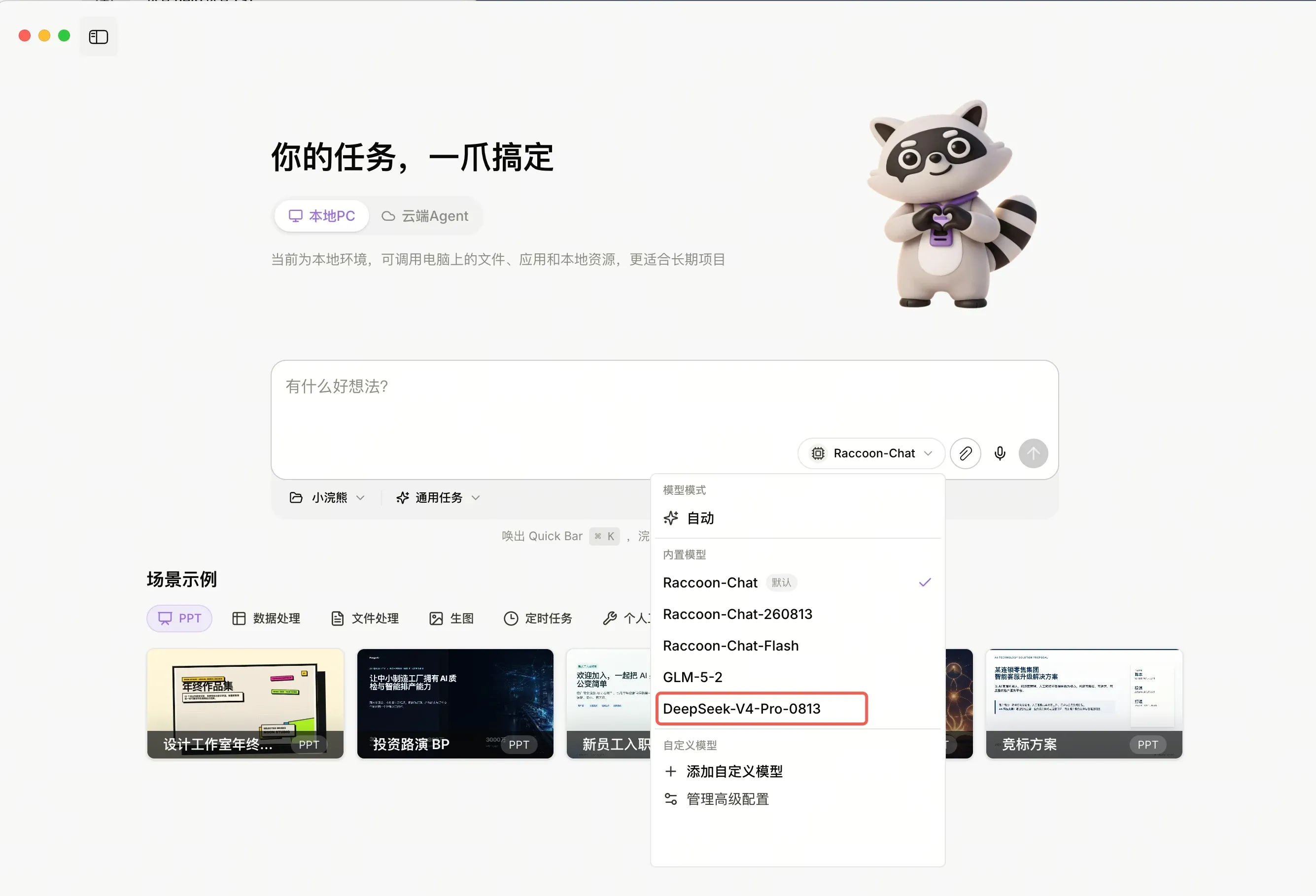
  • General Tasks / Coding Tasks
  • Switch Between Multiple Models
  • Local File Processing
Contact Us

Turn workflows into Skills

The Capability Center lets you create, manage, upload, and share Skills, Experts, and Expert Teams, turning individual methodologies and team expertise into AI capabilities.

  • Custom Creation
  • Upload and Share
  • Multi-Role Collaboration
  • Skill | Package a clearly defined task (weekly report generation · meeting minutes · data summaries)
  • Expert | Work with a professional role and methodology (product manager · financial analyst · recruitment interviewer)
  • Expert Team | Multiple experts collaborate on complex tasks (product launches · startup consulting · content marketing)

Write code and build apps

Use natural language to generate front-end pages and local utilities, with support for HTML, CSS, and JavaScript code generation and debugging. Build event registration, check-in, lucky draws, and data displays from your requirements.

  • Front-End Pages
  • Local Utilities
  • Lightweight Applications

Control your browser in plain language

No additional browser plug-ins are required. Open web pages directly, read publicly available content, and organize the results. Turn competitor features and pricing, industry materials, and web tables into comparison tables or research briefs.

  • Public Information Search
  • Competitor Research
  • Web Structuring

Quick Bar for in-app assistance

Select content and use a global keyboard shortcut to invoke Raccoon Work for instant translation, summarization, rewriting, key-point extraction, or data analysis. In scenarios that support write-back, results can be written directly back to a spreadsheet.

  • macOS: ⌘ K
  • Windows: Ctrl + K
  • Process Selected Content Instantly

Connect documents and data

Connect Feishu, DingTalk, Obsidian, and MySQL and PostgreSQL databases. Search Feishu knowledge bases and export results to a new document or append them to an existing one.

  • Feishu / DingTalk / Obsidian
  • MySQL / PostgreSQL
  • Document Export and Append

Local memory across tasks

Remember your professional background, industry terminology, project context, and output preferences, and continue using them in subsequent sessions. Import existing memories from OpenClaw and Hermes.

  • Project Context
  • Output Preferences
  • External Memory Import

Schedule recurring tasks

Automatically trigger tasks at fixed times, on a recurring schedule, or when data changes. Supports up to 10 concurrent tasks, with access to execution history, traceable results, and failure diagnostics.

  • Scheduled / Data Change Triggers
  • Up to 10 Concurrent Tasks
  • Traceable Execution History

Raccoon Work on the Web

Analyze data, create presentations, and research in your browser. Adjust the workflow and edit the results as you go.

Traceable data analysis

Clean, calculate, forecast, and visualize datasets with up to millions of rows. Save repeatable workflows as Skill templates.
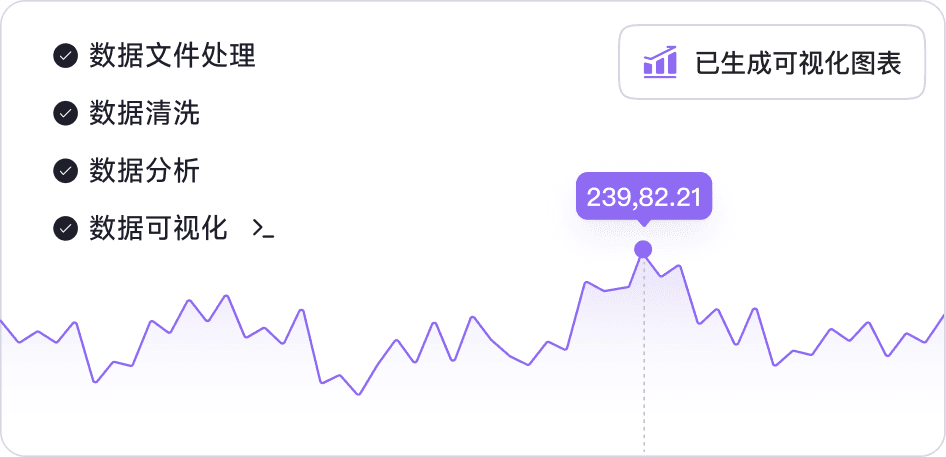
  • Up to 20 files and 200 MB per conversation
  • Supports Excel, CSV, SQL, Word, PDF, and images
  • Turn charts and metrics into reports and presentations

AI presentations you can edit

Standard and Creative modes address different presentation needs. Choose a built-in style, or upload an image, PPT, or PDF as a reference, then continue adjusting the content and visual design after generation.
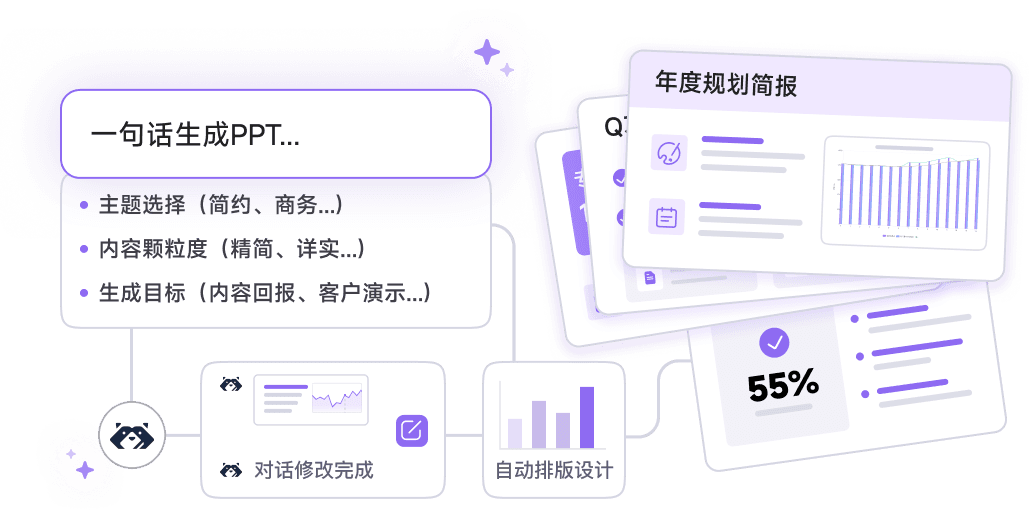
  • Creative mode supports single-slide conversational editing, while custom templates can use up to 5 reference files
  • Edit copy and chart data online, then export editable PPTX files
  • The asset library supports up to 100 images, with up to 20 images per upload
  • Asynchronous background generation, stage-by-stage progress updates, and completion notifications; templates can also be searched by keyword

DeepResearch for complex decisions

Break down ambiguous goals into clear execution plans. Make decisions together with AI at key milestones, keeping the research process interactive, adjustable, and traceable.
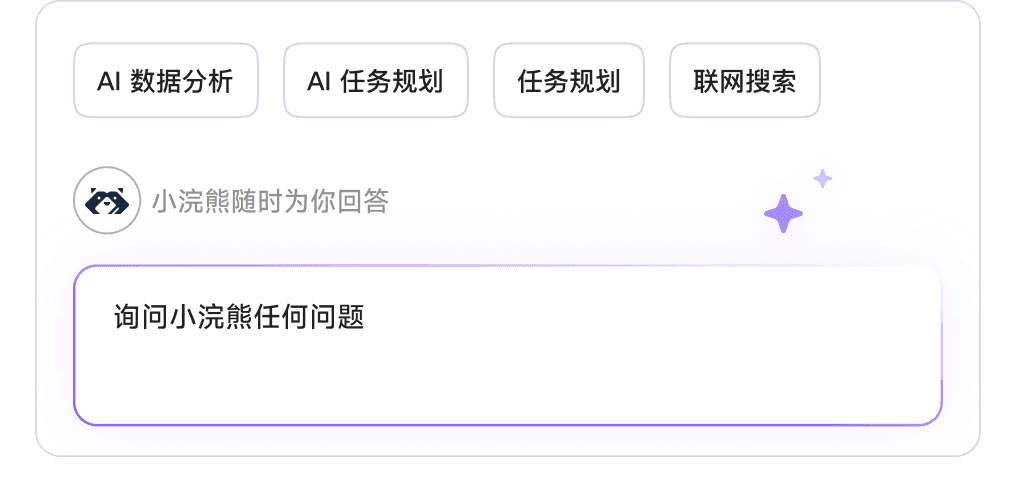
  • From clarifying requirements and planning tasks to retrieval and professional analysis
  • Continue advancing long-chain tasks within the same context
  • Generate complete reports, HTML pages, or presentations

From a request to a complete result

From clarifying requirements and planning tasks to professional data analysis and processing, generate highly usable results. Go beyond simple content and charts with complete reports, HTML pages, PPT presentations, and more.
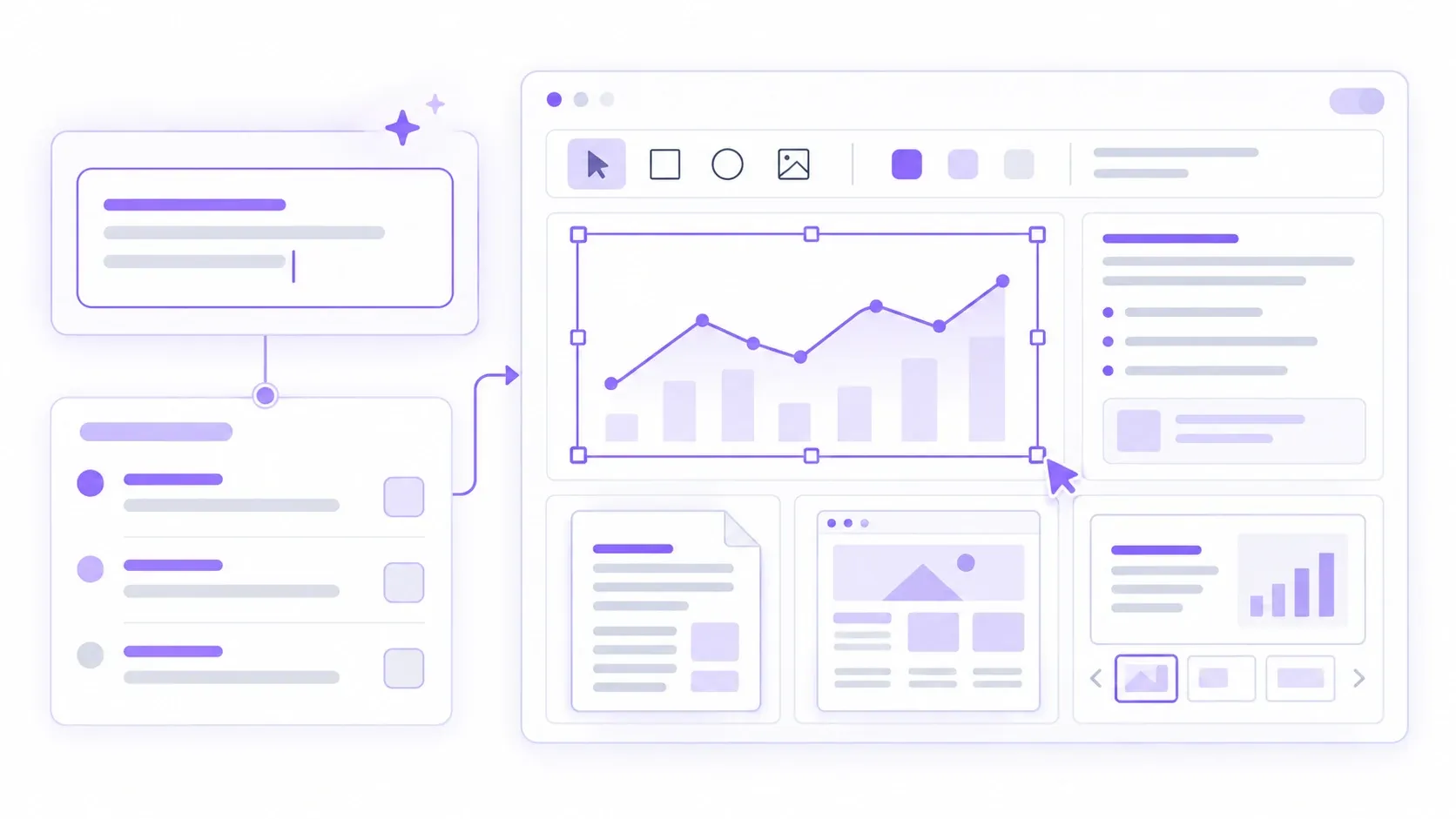
  • Both the analysis process and results can be edited and adjusted online
  • Modify chart styles online and adjust the presentation as needed
  • Generated PPT presentations support online editing and can also be downloaded as PPTX files for further editing locally
Experience the Web Version
Web Workflow Concept Diagram

Technology

Models, Token Factory, and agent orchestration work together to plan tasks, run tools, and deliver results.

Model Layer
Built on the SenseNova foundation model ecosystem, it supports multimodal understanding, reasoning, generation, and execution, and can also work with external models.
Token Factory
Through joint model-infrastructure optimization, inference optimization, and heterogeneous scheduling, it supports model calls at scale and continuous task execution.
Agent Orchestration System
Organizes task decomposition, tool calls, and execution workflows, turning model and compute capabilities into tangible work results.
Data analysis workflow

Verifiable calculations

Calculate with Python, SQL, or Excel. Check data types, missing values, outliers, and formulas with a traceable record.

  1. Model PlanningUnderstand field meanings and business objectives
  2. Tool ExecutionCall tools to perform deterministic calculations
  3. Results ValidationVerify calculations and trace the process

Use cases

Explore six ways teams use Raccoon Work to organize information, analyze data, and create editable deliverables.
01 / Use Cases

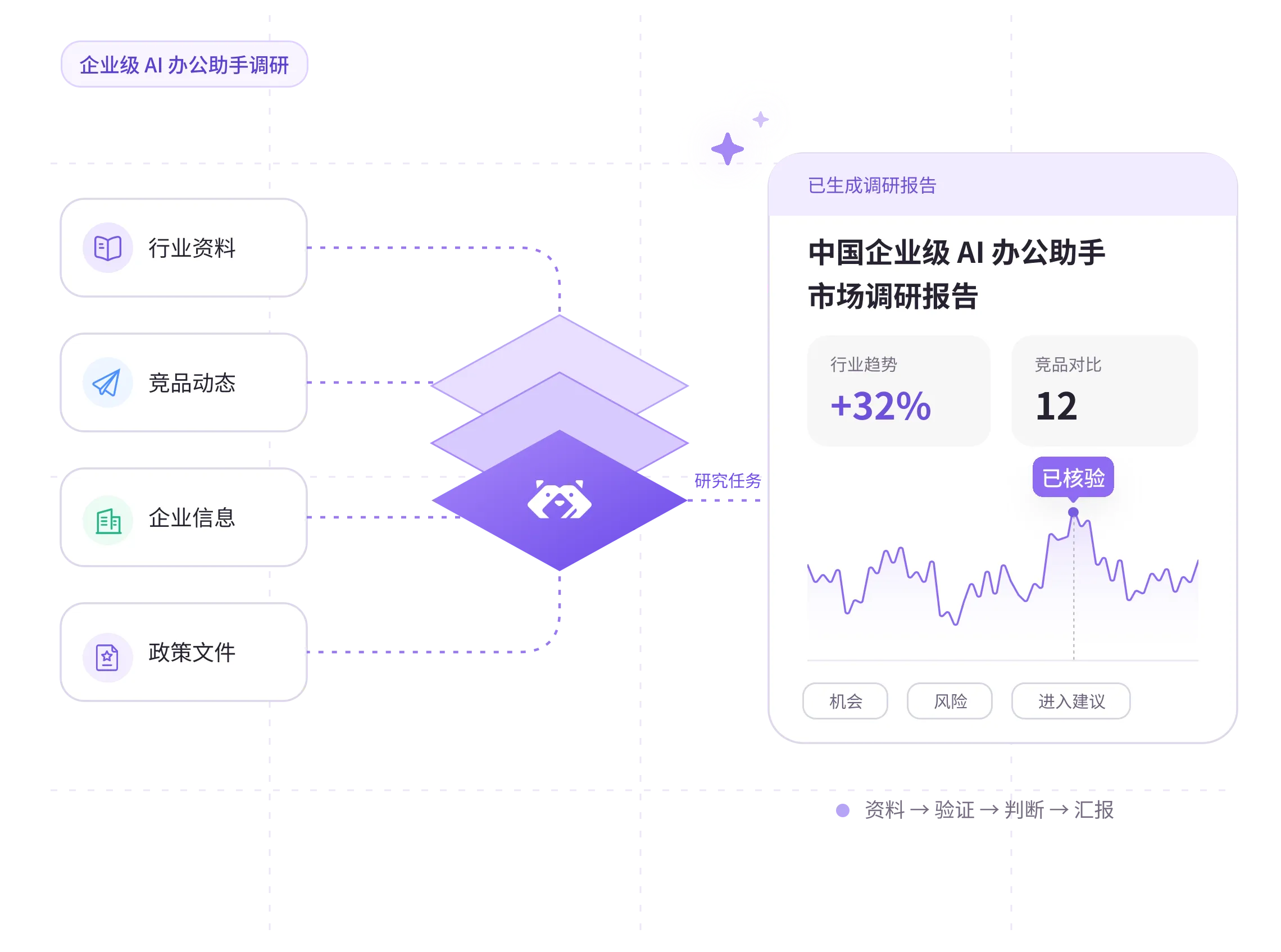
Market research and strategy

Gather industry, market, and policy materials around business questions, cross-check key information, and produce structured research reports.
02 / Use Cases

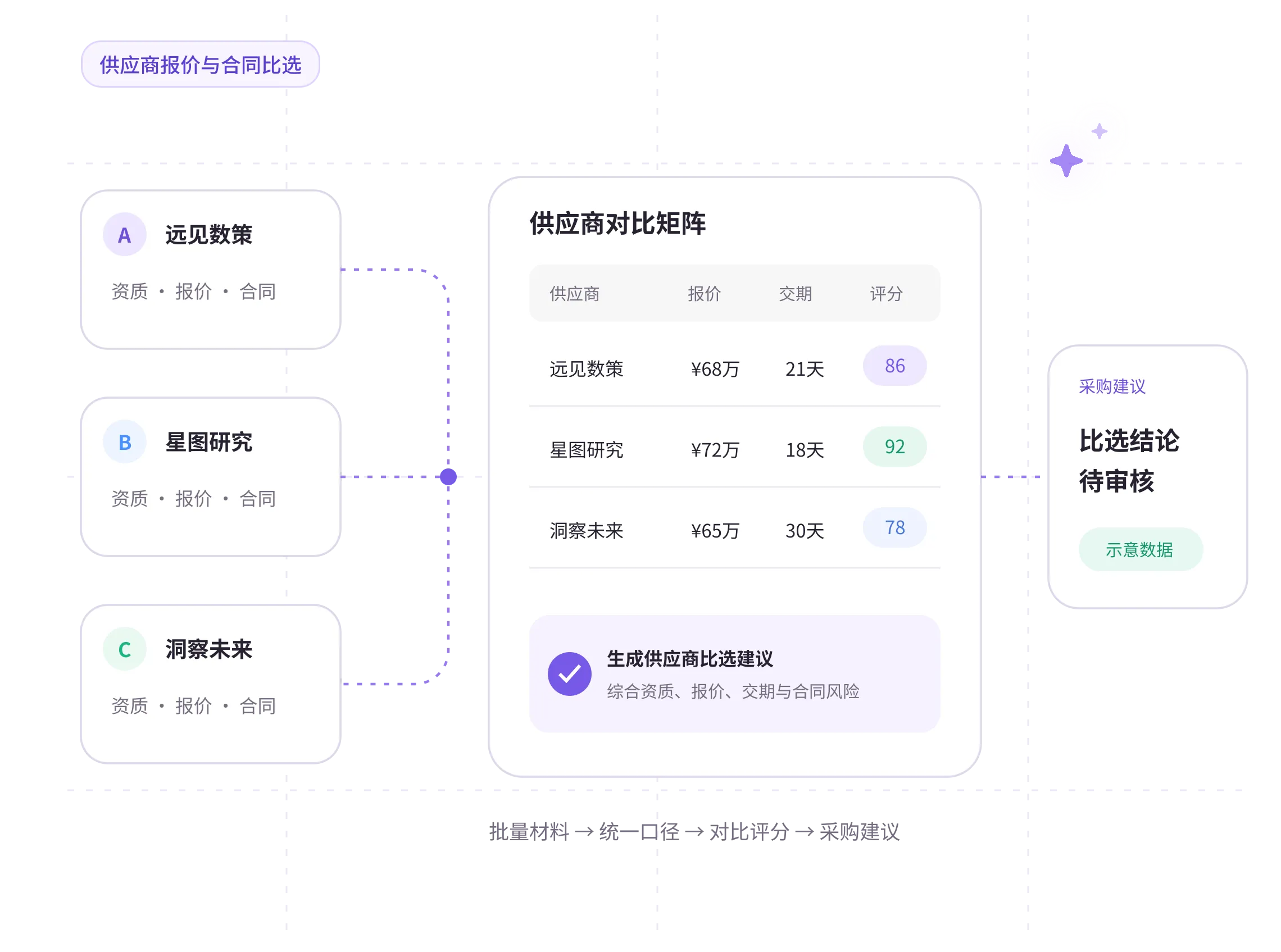
Supplier sourcing

Read qualifications, quotations, bids, and contracts in batches, compare prices, lead times, and payment terms consistently, and generate supplier selection recommendations.
03 / Use Cases

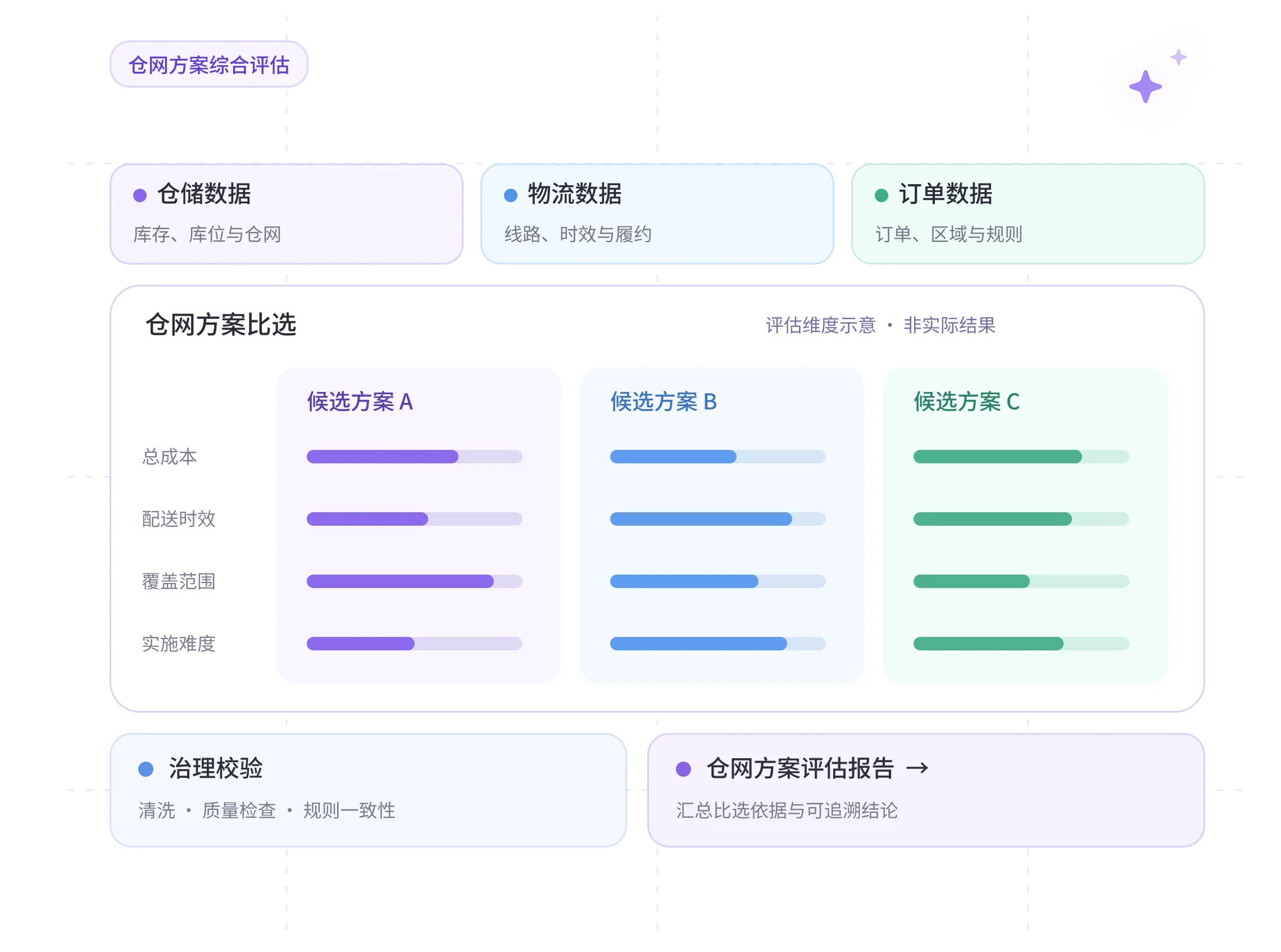
Supply chain data

Integrate warehousing, logistics, and order data, complete data cleansing and rule validation, compare optimization plans, and generate evaluation reports.
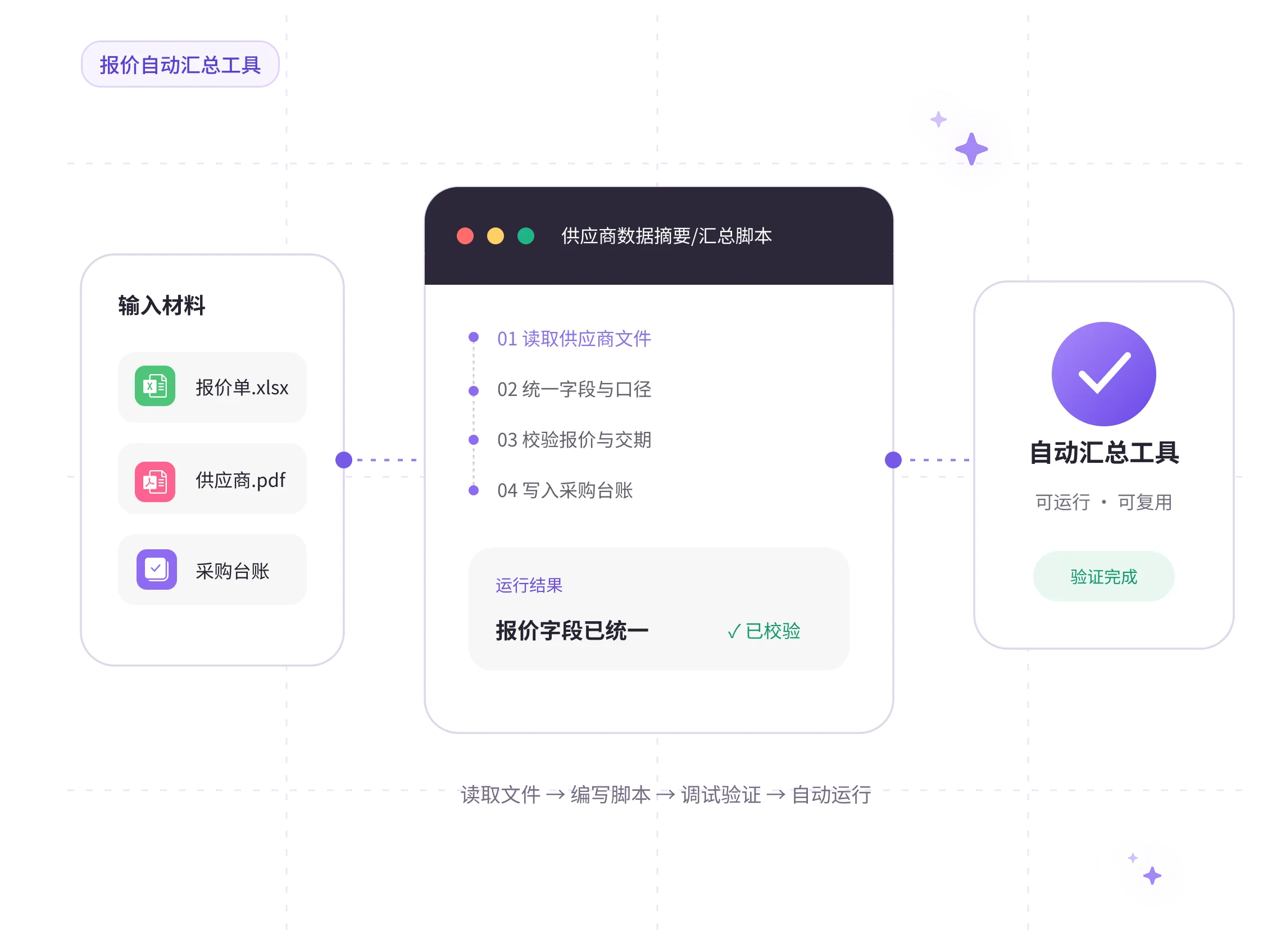
04 / Use Cases

Process automation

Design, write, and debug scripts or lightweight tools based on business rules to automate quotation consolidation, ledger updates, and report generation.
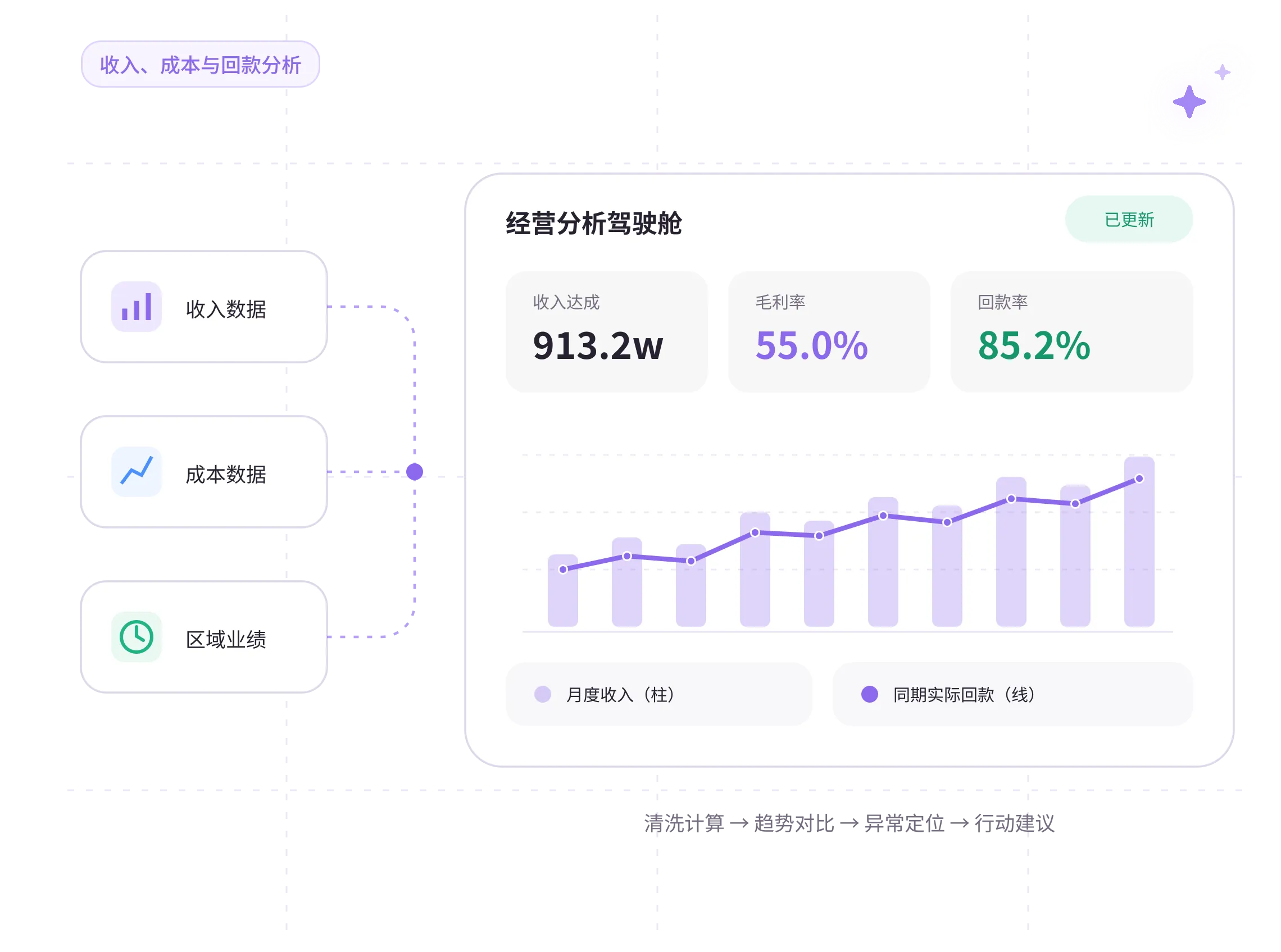
05 / Use Cases

Business performance

Consolidate business data, calculate key metrics, analyze trends and anomalies, and deliver analytical reports containing charts, conclusions, and improvement recommendations.
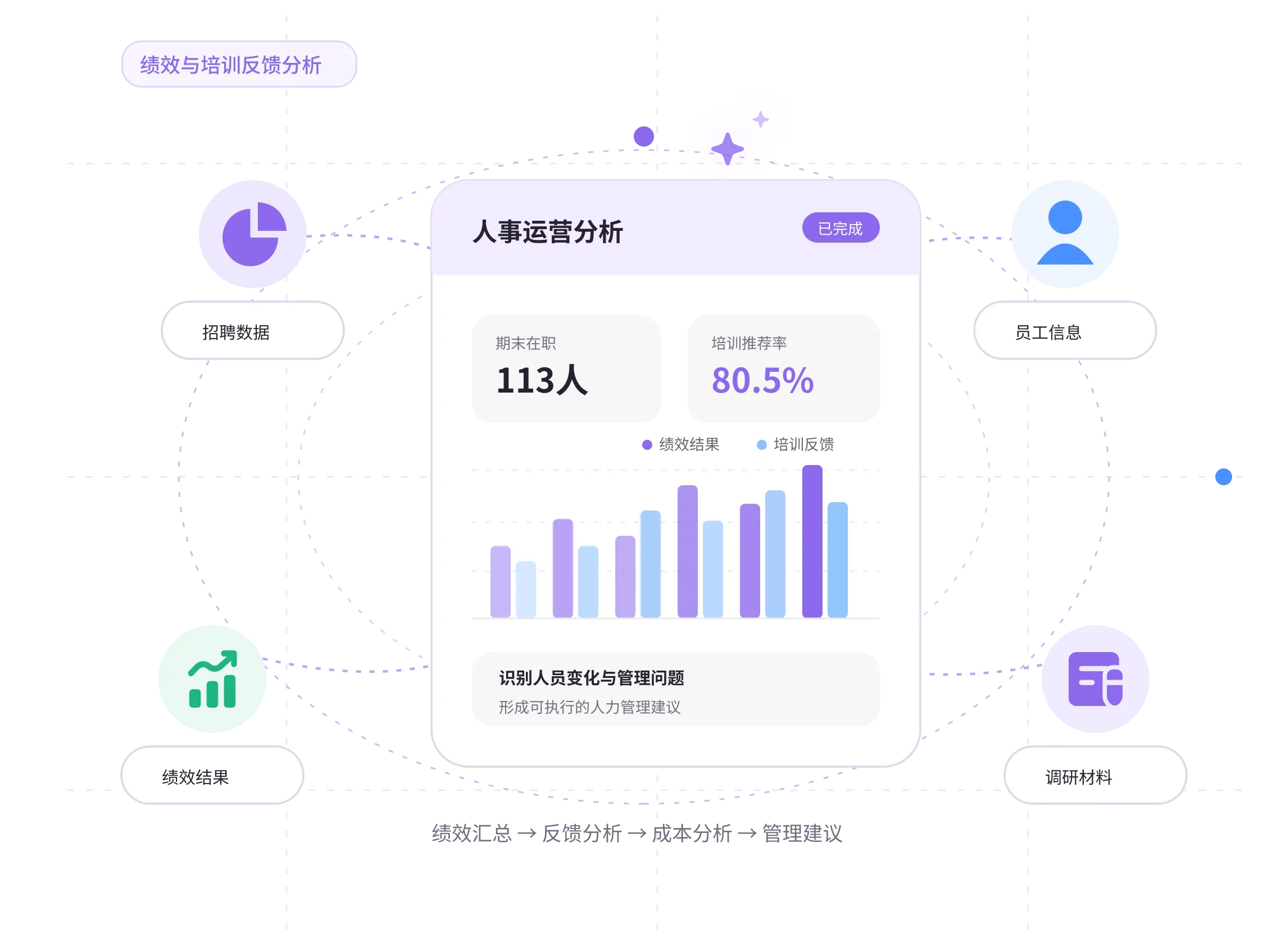
06 / Use Cases

HR operations

Organize employee, recruitment, performance, and survey materials, conduct classification statistics and comparative analysis, and produce HR operations insights.

01 / 06

Customers

Working with 8,000+ companies across industries.

Bank of China
China Merchants Bank
Bank of Ningbo
Ant Group
Ping An Technology
China Mobile
China Telecom
Kingsoft Office
Kylinsoft
Unity
Lenovo
Honor
Great Wall Motor
Leapmotor
China Merchants Group
Shanghai Jiao Tong University
Fudan University
BGI Genomics
iQIYI
SMZDM

Get to work with Raccoon Work

Start with a document or a complex task and turn it into work you can use.

Scan the QR code on WeChat to discuss your needs

FAQ

01What is SenseTime Raccoon Work?
Raccoon Work is SenseTime’s AI assistant for planning, data analysis, content creation, and software development. Its outputs are editable and easy to share and reuse.
02Should I use the desktop or web version?
Use Desktop 2.0 for local files, browser control, app development, local memory, and scheduled tasks. Use the web version for browser-based data analysis, presentations, and DeepResearch.
03Can the desktop app work with local files?
Yes. Give it access to selected folders to analyze files, extract content, or organize data directly on your device.
04How do Skills, Experts, and Expert Teams differ?
A Skill captures a repeatable workflow. An Expert brings a role and its methods, such as financial analysis. An Expert Team combines roles for work such as product launches.
05Can I edit generated slides?
Yes. Both modes support editing text and chart data and exporting editable PPTX files. Creative Mode also supports editing individual slides by chat and using images, presentations, or PDFs as style references.
06Is private deployment available?
Yes. We offer private enterprise deployments and integrated appliances. Contact Sales to discuss your requirements.
07How can I get support?
You can contact the team through the in-product Help & Feedback feature or by emailing xiaohuanxiong@sensetime.com.
SenseTime Raccoon Work | The AI assistant that gets work done